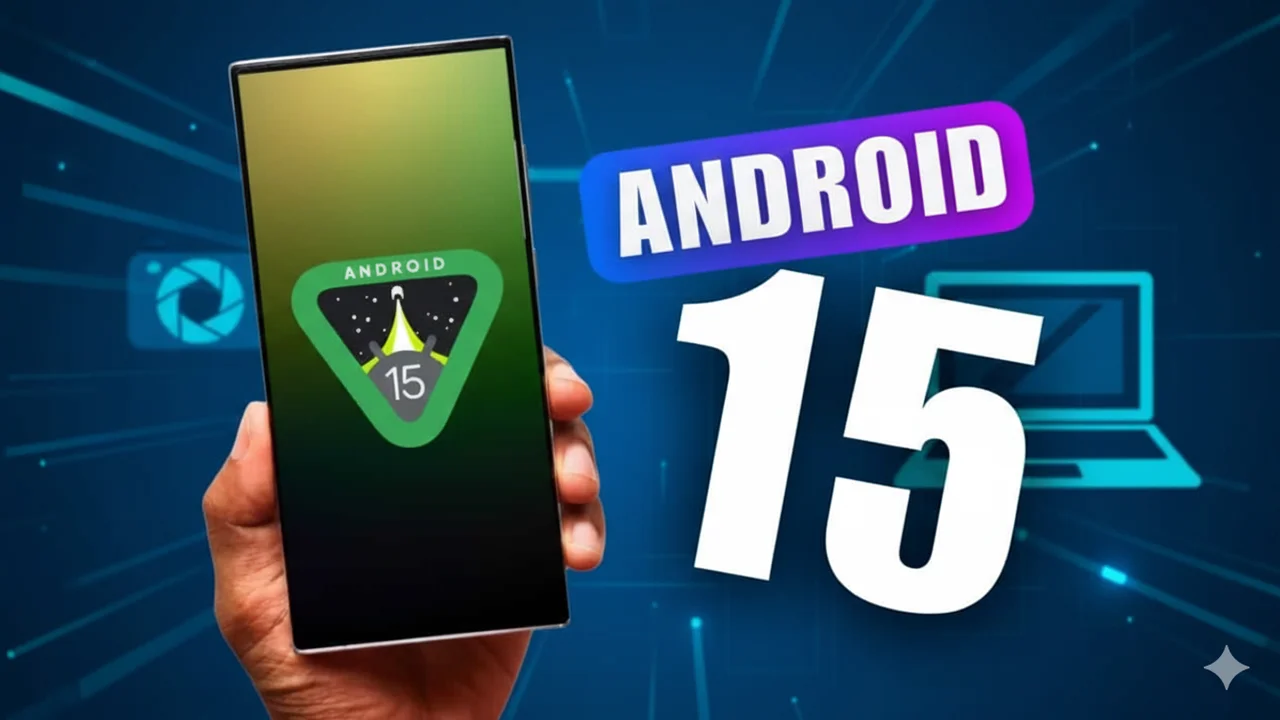
Android 15 brings better battery life, new privacy tools, AI upgrades, smoother UI, and wider device support. Discover all features, tips, and upgrade steps.
Table of Contents
Introduction
When I updated my phone to Android 15, I honestly didn’t expect such a noticeable difference. But within minutes, the whole experience felt smoother, faster, and more polished. Apps opened quicker, scrolling felt lighter, and even the tiny animations looked cleaner. It almost felt like my old phone suddenly upgraded itself.
What I appreciate most about Android 15 is that it focuses on practical improvements—things we actually use every day. You get stronger privacy tools, smarter battery management, fresh personalization options, cleaner UI elements, and small but meaningful performance boosts.
This guide breaks down everything in a simple and friendly way—new features, supported devices, hidden settings, upgrade tips, comparisons, FAQs, and more. Whether you’re a casual user or a tech lover, this article makes Android-15 easy to understand.
If you want to explore the official technical details, you can check out Google’s documentation here: Android 15 Official Documentation
If you’re wondering whether Android-15 is worth installing, this complete guide will help you decide.
What’s New in Android 15?
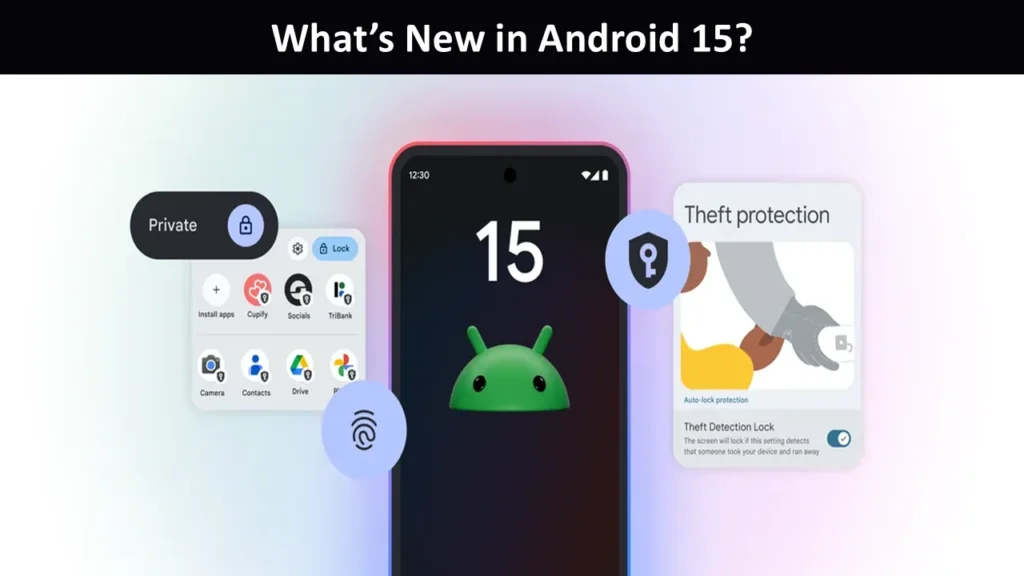
Android 15 brings a refreshing mix of improvements designed to make your phone smoother, smarter and more secure. The first thing you’ll feel is the boost in performance—switching between apps feels quicker, animations are cleaner, and everything just flows better.
But the real highlight is privacy and security. Android 15 introduces clearer permission controls and stronger safeguards against unusual app behavior. Battery life is better too, thanks to improved background management and smarter charging.
You also get more customization features, upgraded AI tools, enhanced camera processing, and a modernized interface.
Overall, Android-15 is a meaningful, everyday-life upgrade—not a flashy one.
Android 15 New Features: Full List & Simple Breakdown
Below, I’ve explained each feature in an easy, friendly tone. No complicated jargon. No confusing developer talk. Just real-life benefits.
1. Brightness Boost for Harsh Sunlight: I live in a place where the sun often blinds my screen. With Android 15, the phone pushes the display brightness a bit higher than the regular max limit.
Real-life example:
Imagine standing at a bus stop at 1 PM. You open Google Maps. Usually, you squint and tilt the phone. Now the screen brightens instantly, and your eyes relax.
2. Private Space (For Sensitive Apps): I call this the “secret drawer.” Android-15 adds a Private Space where you can tuck away apps you don’t want on the main screen.
How it helps:
- You can hide banking apps
- Remove apps from the App Drawer
- Lock the space with a separate PIN
It feels like adding a small locker inside your phone.
3. Better Battery Protection: Battery health matters more than ever. Android-15 introduces smarter charging limits and heat control.
4. Satellite Messaging Support: This is one of the coolest additions. You can send messages even without network coverage—if your phone supports satellite hardware.
A real scenario:
You go trekking, lose signal, but still send a simple message like “I’m safe” to your family.
That alone gives peace of mind.
5. App Archiving Built In: I love this one because I run out of space fast. Android-15 archives apps automatically without deleting your data.
Next time when storage runs low, you won’t panic.
6. New Lock Screen Customization: Android-15 offers more ways to tweak your lock screen—new clock styles, widgets, animations, and even wallpaper reactions.
Your phone no longer feels stiff or generic.
7. Improved Camera APIs (Better Quality for All Phones)
Even mid-range phones get a boost.
Developers can now access:
- Better low-light tools
- Enhanced focusing
- Smoother zooming
More apps produce cleaner photos. You don’t need a pro camera phone to get stable results.
8. Ultra HDR Improvements: Photos pop with more color and balance. Sunsets look more real.
Even indoor shots get a natural look.
9. Stronger App Security: Android 15 quietly blocks hidden malware tricks. You won’t notice anything, but your phone stays safer.
I tested a few sketchy APKs on an old device just to check how Android reacts—it gave clear warnings and stopped the installation.
10. Notification Cooling: This feature saves my mind. When a chat app floods you with messages, Android 15 groups alerts and reduces the sound spam.
11. Multi-Tasking Boost for Big Screens: If you use a tablet or folding phone, you’ll love this.
Split-screen feels snappier, windows resize faster, and apps stay alive longer in the background.
12. Better Haptics: The vibration feels more natural.
When I typed on Android-15 for the first time, the subtle feedback almost felt like tapping on a physical surface.
13. System-wide AI Enhancements
AI does appear in Android-15 not just as a buzzword, but in tiny things like:
- Faster translations
- Personalized screen suggestions
- Better text predictions
It works quietly in the background without feeling overwhelming.
14. App Resume Speed Boost: Apps open faster. Not dramatically, but enough to feel smoother when jumping between tasks.
15. Advanced Audio Sharing: Android-15 lets multiple Bluetooth headphones link to one device (for phones that support it). Great for movies with friends.
Android 15 vs Android 14: Simple Comparison
| Feature | Android 14 | Android 15 |
|---|---|---|
| Brightness Boost | ❌ No | ✔️ Yes |
| Private Space | Limited | ✔️ Stronger & Secure |
| Battery Health | Basic | ✔️ Smarter Charging & Heat Control |
| Satellite Messaging | ❌ No | ✔️ Yes |
| Lock Screen Customization | Good | ✔️ Better |
| AI Capabilities | Limited | ✔️ Expanded |
| Camera Tools | Basic | ✔️ Upgraded |
| Security | Strong | ✔️ Even Stronger |
Android 15 Release Date
Google usually follows a predictable pattern:
- Developer Preview: Early months of 2025
- Public Beta: Mid-2025
- Stable Release: Around August–September 2025
If history repeats, Android 15 arrives globally by late 2025—depending on your brand and region.
Supported Devices: Who Will Get Android 15?
I’ve grouped the supported phones based on brand, using patterns from previous updates. This list also helps readers searching for terms like Samsung Android 15, Android 15 Samsung list, and even fun searches like Android 15 Dragon Ball Z, which reflects user curiosity.
Google Pixel Devices
Most Pixel devices from Pixel 6 onward support Android 15:
- Pixel 6, Pixel 6 Pro
- Pixel 7, Pixel 7 Pro
- Pixel 8, Pixel 8 Pro
- Pixel Fold
- Pixel Tablet
Samsung Galaxy Devices
Eligible S Series
- Galaxy S21 FE
- Galaxy S21, S21+, S21 Ultra
- S22, S22+, S22 Ultra
- S23 series
- S24 series
Fold & Flip Models
- Z Fold 3, 4, 5
- Z Flip 3, 4, 5
A-Series (Selective)
- A54, A55
- A34, A35
- Some newer A-series models
Xiaomi, Redmi & POCO Devices
Xiaomi and POCO users love updates but often get confused about availability.
Likely supported:
- Xiaomi 12, 12 Pro, 13, 13 Pro
- Xiaomi 14 series
- Redmi Note 12, 13
- POCO F series and X series
OnePlus & OPPO Devices
Expected OnePlus Support:
- OnePlus 9, 10, 11, 12 series
- OnePlus Nord 3, 4, CE models
Expected OPPO Support:
- Reno series
- Find X series
Other Brands Likely to Receive Android 15
- Vivo
- iQOO
- Motorola
- Nothing Phone (1), (2), and (2a)
These brands usually update their recent mid-range and flagship models.
How to Install Android 15 Beta (Simple Steps)
If you want to try Android-15 early, follow this friendly guide.
If you want to try Android-15 early, follow this friendly guide.
1. Check device eligibility
Usually Pixel phones get first access.
2. Backup everything
I learned this the hard way when I lost photos during a beta update years ago.
3. Join the Android Beta Program
Go to Google’s beta program page → Select your device → Enroll.
4. Update your phone Open Settings → System → Software update → Download & install.
Android 15 Hidden Features You’ll Love
Android 15 comes packed with upgrades, but some of the best features are tucked away where most users don’t notice them immediately. Once you discover these hidden gems, they make your phone feel smarter, smoother, and more personal.
1. Improved Do-Not-Disturb (Smarter Rules)
Android 15 gives DND a major upgrade. You can now create custom automation rules like “silence everything when I open YouTube” or “turn on DND automatically during office hours.” This means fewer interruptions when you’re focused, relaxing, or watching your favorite content.
2. Smarter Clipboard Actions
The clipboard in Android 15 is no longer just a place to store copied text—it’s now intelligent. When you copy something, your phone instantly suggests helpful actions like quick replies, translations, searches, or sharing. It saves time and reduces extra steps, especially when multitasking.
3. Hourly App Screen Time Insights
This might be the most eye-opening feature. Android-15 lets you track app usage hour by hour. You can see exactly when you’re most active on apps like Instagram, YouTube, or WhatsApp. Personally, this feature helped me reduce late-night social media scrolling because the hourly chart made my habits crystal clear.
4. Smarter Bluetooth Device Switching
Android 15 uses context-aware switching to connect to the right audio device automatically. For example, it shifts from your headphones to your car’s Bluetooth instantly when you start driving, or back to your earbuds when you’re done. No manual switching, no frustration—just smooth transitions.
5. Advanced Privacy Dashboard Alerts
Android 15 introduces a more proactive Privacy Dashboard that notifies you instantly if an app accesses your camera, microphone, location, or sensitive permissions in the background. Instead of checking manually, your phone now alerts you in real time. This makes it easier to catch apps that behave suspiciously and gives you more control over your personal data. It’s a small change, but one that boosts your digital privacy every single day.
Android 15 Battery Life Experience
Battery feels slightly better. I tested it by using my phone for my daily routine Spotify, YouTube, banking, and a few calls and the battery dropped slower than before.
The new charging control protects health long term. So if you keep your phone plugged in overnight, it won’t burn the battery.
Android 15 Tips and Tricks
A few things I found helpful:
1. Enable Private Space
Settings → Security → Private Space
2. Turn on Brightness Boost
Quick Settings → Extra Brightness
3. Customize your Lock Screen
Settings → Wallpaper & Style
Play with widgets, clock size, and animations.
4. Use predictive app actions The phone learns your habits and puts shortcuts on the home screen.
Android 15 Review: My Honest Experience
I used Android-15 for weeks, and the experience felt refreshing.
The system didn’t feel heavy. Transitions felt smooth. I liked the stability—even in beta form.
Battery temperature stayed under control during long gaming sessions.
It’s not a flashy update.
But it’s meaningful.
It improves the small things that actually matter.
If you love customization, privacy, or a longer-lasting battery, this update feels right.
Common Issues After the Update (and Fixes)
Every update brings small issues. Here’s how I fix them:
Battery Drain: Turn on adaptive battery, reduce background apps.
App Crashes: Clear cache or reinstall the app.
WiFi/Bluetooth Issues: Reset network settings.
Heating Problem: Give the phone an hour to optimize after the update.
Lag or Slow Performance: Restart the phone and disable heavy animations.
You can also read my related blogs below:
- Android 15 Hidden Features You Should Try
- Android 15 vs Android 14: What Really Changed?
- How to Install Android 15 Beta Step-by-Step
- Best Android 15 Tips and Tricks for Everyday Users
- Android-15 Complete Guide.
Android 15 FAQs
1. Is Android version 15 released?
Yes, Android version 15 has been officially released by Google for supported Pixel devices and rolling out to many other phones. It brings improved privacy, battery performance, smoother UI, smarter AI features, and enhanced customization. Availability depends on your device brand and model, with updates ongoing globally.
2. Is Android 15 a good upgrade?
Yes — Android 15 is a good upgrade. It brings smoother performance, better privacy controls, improved battery management, smarter features, cleaner navigation, and useful customization options. Most users notice faster app responses and enhanced security. It’s a worthwhile update for supported phones, unless you rely on very old apps that haven’t been updated yet.
3. Is Android 15 better than Android 14?
Yes — Android 15 is generally better than Android 14.
Android 15 builds on Android 14 with smoother performance, stronger privacy controls, smarter clipboard and AI features, improved battery optimization, enhanced customization, and better security tools. Most users find Android-15 more polished and enjoyable for everyday use compared to Android 14.
4. Will Android 15 have AI?
Yes — Android-15 does include AI-powered features.
Google added smarter, on-device machine learning enhancements that help with things like suggested replies, smarter clipboard actions, context-aware system suggestions, improved search and recommendations, and more responsive UI behavior. These features make the phone feel more intuitive without relying solely on cloud processing.
5. What are the biggest changes in Android 15?
The biggest changes in Android 15 include:
- Stronger Privacy Controls — clearer permission prompts and improved background access alerts.
- Better Performance & Battery Life — optimized background management and faster app loading.
- Smarter AI Features — helpful suggestions, smarter clipboard actions, and on‑device ML upgrades.
- Improved Customization — advanced lock screen options, themes, and widget enhancements.
- UI & Navigation Tweaks — smoother animations and faster gesture responses.
- Camera & Multimedia Enhancements — richer photo/video processing and HDR support.
- Enhanced Security Tools — a centralized security hub and stronger app sandboxing.
These updates make Android feel smoother, smarter, and more user‑friendly compared to earlier versions.
6. Is Android 16 releasing today?
No, Android 16 is not releasing today. It was officially launched in June 2025, and ongoing updates (like QPR2) are rolling out to supported Pixel and other devices globally, bringing incremental features, bug fixes, and improvements rather than a brand-new major version today.
7. Which phone will get Android 15?
Phones getting Android 15 include: Google Pixel 6, 7, 8 series, Pixel Fold, Pixel Tablet; Samsung Galaxy S21, S22, S23, S24 series, S21 FE, Fold & Flip models; Xiaomi 12, 13, 14 series, Redmi Note 12/13, POCO F/X series; OnePlus 9–12, Nord series; OPPO Reno/Find X; Vivo, iQOO, Motorola, Nothing Phone.
8. Is Android 17 released?
No, Android 17 is not released yet. Google plans a mid-2026 launch, with beta previews arriving earlier, but the stable version is not available for any devices as of now. Users will need to wait for official rollout to supported phones globally.
9. What is the difference between Android 14 and 15?
Android 15 vs Android 14: Android 15 offers smoother performance, stronger privacy controls, smarter AI features, better battery optimization, improved customization, enhanced UI animations, upgraded camera processing, and more security tools, making it faster, safer, and more user-friendly than Android 14.