Discover the best Android 15 tips and tricks, hidden features, battery improvements, and security settings you should enable today for a smoother phone experience.
I still remember the moment I updated my phone to Android 15. Nothing dramatic happened at first. No fireworks. No big pop-up saying, “Your phone is now amazing.”
But after a few hours of use, I felt it. The phone responded faster. Notifications felt smarter. Small things started making daily life easier.
That’s the real magic of Android 15.
It doesn’t shout. It quietly helps.
If your Android 15 phone already runs the update, this guide will help you unlock the best features you should enable today. No tech jargon. No confusion. Just simple tips that actually matter in real life.
If you want to explore the official technical details, you can check out Google’s documentation here: Android 15 Official Documentation
Table of Contents
Why Android 15 Feels More Personal Than Before
Android 15 doesn’t try to change how you use your phone. Instead, it adapts to how you already use it.
For example, I check my phone dozens of times a day. Messages. Camera. Notes. Payments. Android 15 notices patterns like this and reduces small delays. Apps open faster. Background tasks feel lighter.
It feels like the phone finally understands daily habits.
1. Enable Theft Detection Lock for Real-World Safety
This feature matters more than most people realize.
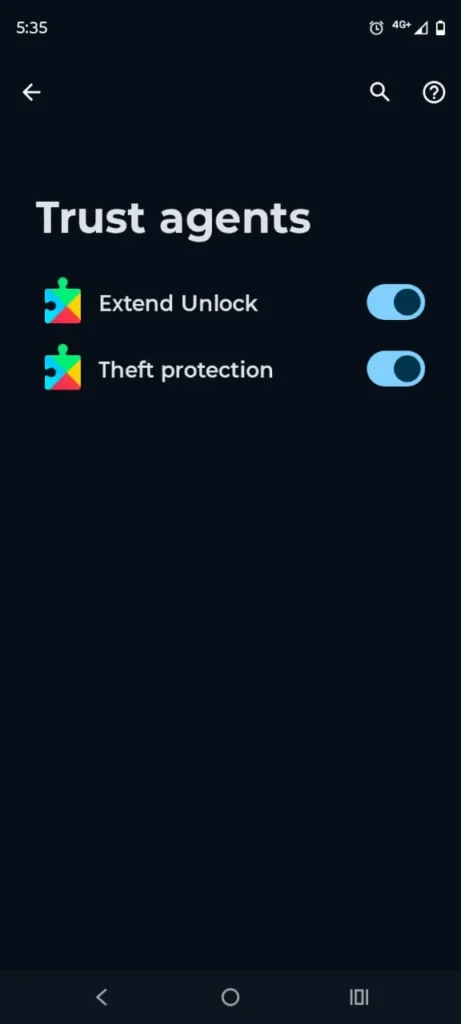
Android-15 includes Theft Detection Lock, which automatically locks your phone if someone snatches it and runs. I tested it by quickly moving my phone while it was unlocked. The screen locked instantly.
That moment made me feel safer.
You can turn it on from:
Settings → Security & Privacy → Theft Protection
If you travel, use public transport, or live in a busy city, enable this first. It protects photos, banking apps, and personal chats when you need it most.
2. Smarter App Permissions That Stay Out of the Way
Earlier Android versions asked for permissions again and again. Android 15 feels more polite.
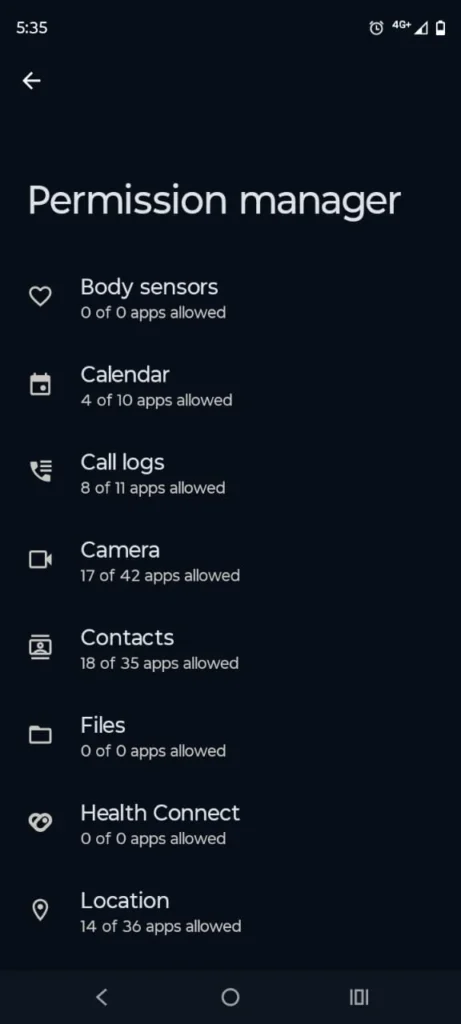
Now, when an app hasn’t been used for a long time, Android-15 quietly removes risky permissions. I noticed this when an old flashlight app lost location access automatically.
Nothing broke. Nothing annoyed me.
You’ll find this under:
Settings → Privacy → Permission Manager
This feature works in the background, so once it’s on, you can forget about it.
3. Battery Optimization That Matches Real Life
Battery life feels better on Android 15, especially if you use your phone all day.
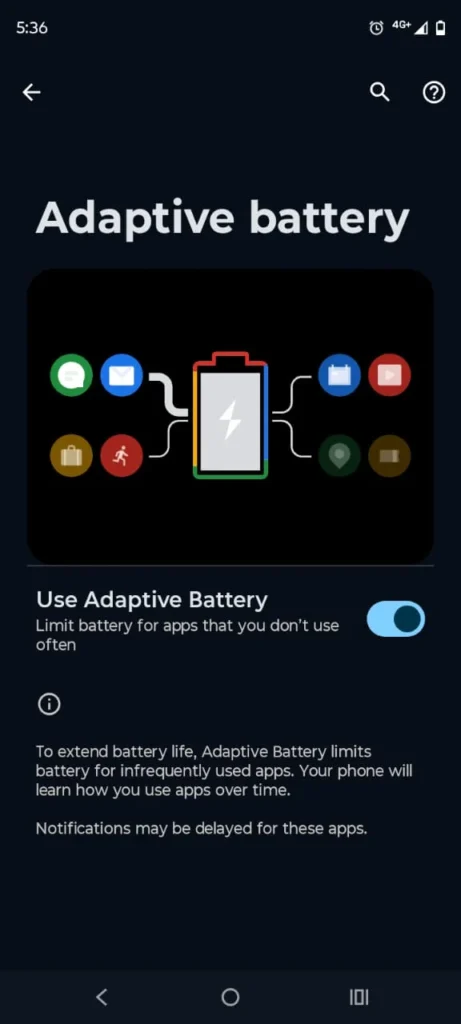
The system learns which apps you use often and which ones just sit there. I barely use a food delivery app during weekdays. Android-15 noticed that and limited background activity.
The result?
Less overnight battery drain.
Go to: Settings → Battery → Adaptive Battery
Enable it and let your phone learn naturally. No need to tweak anything daily.
4. Lock Screen Customization That Actually Feels Useful
Android-15 improves lock screen controls in small but meaningful ways.
I added quick access to my flashlight and camera. Now I don’t need to unlock the phone every time. When power goes out or I need a quick photo, it’s one swipe away.
Some Samsung Android 15 phones offer extra lock screen styles and widgets. If you use Android 15 Samsung devices, explore these settings deeply.
Go to: Settings → Lock Screen → Shortcuts & Widgets
5. Notification Cooldown for a Peaceful Mind
This feature surprised me the most.
When many notifications arrive at once, Android-15 lowers the alert volume automatically. I noticed this during a busy group chat. Instead of constant buzzing, notifications became calmer.
The phone stopped shouting at me.
Enable it here:
Settings → Notifications → Notification Cooldown
This small change improves focus more than you’d expect.
6. Improved App Archiving to Save Storage
Running out of storage always feels frustrating.
Android 15 introduces smarter app archiving. If you haven’t used an app in months, the system removes unnecessary data but keeps the app ready for future use.
I archived a game I stopped playing. When I opened it later, everything restored instantly.
You’ll find this under:
Settings → Storage → App Archiving
Perfect for phones with limited storage.
7. Enhanced Private Space for Personal Apps
Private Space feels more polished in Android 15.
You can hide sensitive apps behind extra security. I placed my banking app and document scanner inside Private Space. Even if someone borrows my phone, those apps stay hidden.
Setup path:
Settings → Security & Privacy → Private Space
Parents and shared-device users will love this.
8. Performance Boost on Older Phones Like S21 FE
If you own S21 FE Android 15, you’ll notice smoother animations and faster app switching.
Android-15 reduces background load, which helps slightly older devices feel fresh again. Scrolling feels cleaner. App launches feel lighter.
This update gives older phones a second life without hardware changes.
9. Samsung Android 15 Extras Worth Exploring
Samsung adds its own touch to Android 15.
On supported models listed under the Android 15 Samsung list, you’ll see extra customization options, better multitasking, and refined One UI animations.
Split-screen apps feel more stable now. I often keep YouTube open while browsing. Android-15 handles this smoothly.
If you use a Samsung Android 15 phone, spend time exploring One UI settings.
10. Fun Touches Like Android 15 Dragon Ball Z Easter Eggs
Android updates always hide playful surprises.
Android 15 includes subtle Easter eggs, including themed animations and visuals. Some fans even spotted Android 15 Dragon Ball Z inspired elements in community builds.
It doesn’t change daily use, but it adds personality. I enjoy these little fun details. They remind me Android still has a playful side.
11. Accessibility Features That Help Everyone
Android 15 improves text contrast, button clarity, and gesture feedback.
I noticed this while reading late at night. Text looked sharper. Buttons felt easier to tap.
These features help children, elders, and anyone who spends long hours on their phone.
Find them here: Settings → Accessibility
Final Thoughts: Android 15 Grows on You Slowly
Android 15 doesn’t overwhelm you on day one.
Instead, it grows into your routine. One feature saves battery. Another protects your data. A small tweak calms notifications. Together, they make daily phone use smoother and less stressful.
If your phone supports Android-15, take time to explore it. Enable the features that match your life. Let the rest stay quiet in the background.
That’s where Android-15 shines.